
Download SkepticalTom – AI Shopping Guardian, Free Budget Tool
Overview: Meet Your AI Shopping Guardian
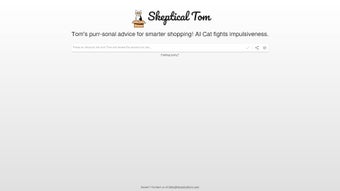
SkepticalTom is a web‑based AI tool that acts like a witty feline watchdog for your online spending. Designed for anyone who struggles with impulse buys, this virtual companion nudges you to pause, reflect, and ask “Do I really need this?” before you click “Buy”. Powered by machine‑learning algorithms, SkepticalTom watches your browsing behavior, detects moments of potential overspending, and delivers a friendly, yet firm, reminder that helps you make more mindful purchasing decisions.
The result? Fewer buyer’s remorse moments, a healthier bank balance, and a growing habit of deliberate shopping. Because it lives in the cloud, you can access SkepticalTom from any device—whether you ’re on a Windows PC, a macOS laptop, an Android phone, or an iOS tablet—without the need for bulky installations.
The service is free to start, offers secure data handling, and updates automatically to stay ahead of new e‑commerce trends. If you’ve ever felt the sting of a spontaneous checkout, SkepticalTom provides a safe, engaging, and cost‑effective way to regain control of your spending habits.
Features & Easy Installation
What SkepticalTom Brings to Your Shopping Experience
- Real‑time Purchase Alerts: Detects high‑risk checkout moments and sends a gentle “think again” prompt.
- Personalized Spending Insights: Generates weekly summaries that show where you saved money.
- Customizable Sensitivity Levels: Adjust how aggressively Tom intervenes based on your budget goals.
- Cross‑Platform Browser Extension: Available for Chrome, Edge, Firefox, and Safari for seamless integration.
- Secure Cloud Sync: Your preferences and history are encrypted and synced across devices.
- Gamified Rewards: Earn virtual “catnip” points for each avoided impulse purchase.
- AI‑Powered Summaries: Quickly review long product descriptions to decide if the item truly meets your needs.
Step‑by‑Step Installation & First‑Time Use
Installing SkepticalTom is as simple as downloading a free browser extension or signing up for the web portal. Follow these steps for a smooth setup:
- Visit the Official Site: Navigate to skepticaltom.com and click the “Get Started” button.
- Select Your Browser: Choose the extension compatible with Chrome, Edge, Firefox, or Safari. A secure
.crxor.xpifile will begin downloading. - Install the Extension: Drag the file into your browser’s extensions page or click “Add to Browser” for an automatic install.
- Create an Account: Register with an email address or use a social login. The process is encrypted with SSL/TLS to keep your data safe.
- Configure Preferences: In the settings panel, set your budget limits, choose the alert tone, and pick a “Skeptical Tom” personality (playful, strict, or balanced).
- Start Shopping: As you browse online stores, Tom will appear as a small pop‑up icon. When a potential impulse purchase is detected, Tom delivers a short, witty message asking you to reconsider.
- Review Your Progress: Access the dashboard to see saved money, points earned, and a timeline of your most successful “pause” moments.
The entire process takes less than five minutes, and because SkepticalTom is cloud‑based, any changes you make are instantly applied to all devices where the extension is active. No heavy downloads, no invasive permissions—just a secure, lightweight tool that works quietly in the background.
Compatibility, Pros & Cons, and Frequently Asked Questions
Device & Operating System Compatibility
SkepticalTom is built to run on any modern web browser, making it compatible with the following platforms:
- Windows 10, 11 (Chrome, Edge, Firefox, Safari for Windows)
- macOS Ventura and later (Safari, Chrome, Firefox)
- Linux distributions with supported browsers (Chrome, Firefox)
- Android 8.0+ (Chrome, Edge mobile)
- iOS 13+ (Safari, Chrome for iOS)
Because the core engine lives in the cloud, there are no separate installers for each OS. The only requirement is an up‑to‑date browser that supports extensions or a modern JavaScript runtime.
Pros and Cons – A Balanced Look
- Pros:
- Free basic version with optional premium upgrades.
- Real‑time alerts that actually reduce impulse spending.
- Cross‑platform availability ensures you’re covered wherever you shop.
- Secure, encrypted data handling complies with GDPR and CCPA.
- Gamified rewards keep the experience fun and motivating.
- Cons:
- Requires a browser extension, which may be disabled in corporate environments.
- AI predictions are based on browsing patterns and may occasionally flag legitimate purchases.
- Advanced customization (multiple budgets, detailed analytics) is locked behind the premium tier.
- Initial setup, while quick, needs a brief learning curve for new users.
Frequently Asked Questions (FAQ)
Is SkepticalTom really free?
Yes, the core features—including real‑time alerts, basic spending insights, and the browser extension—are completely free. A premium plan offers deeper analytics and multi‑budget support for a modest monthly fee.
How does SkepticalTom protect my personal data?
All user data is encrypted in transit (TLS 1.3) and at rest (AES‑256). The platform follows GDPR and CCPA guidelines, and it never sells your browsing history to third parties.
Can I use SkepticalTom on mobile devices?
Absolutely. A lightweight mobile extension works on Android Chrome and iOS Safari/Chrome, delivering the same pause‑and‑reflect prompts as the desktop version.
What happens if I disable the extension?
Disabling the extension stops the real‑time alerts, but all your saved data and progress remain in the cloud. Reactivate anytime to resume protection.
Is there a refund policy for the premium plan?
Yes. Premium subscriptions are eligible for a full refund within 14 days of purchase, provided you haven’t used any premium‑only features extensively.
Conclusion: Take Control of Your Shopping with SkepticalTom
If impulsive online purchases have ever left you with a dent in your wallet, SkepticalTom offers a friendly, intelligent solution that blends humor with hard data. By installing a simple, secure browser extension, you gain a vigilant shopping companion that nudges you toward thoughtful decisions, helping you save money without sacrificing the joy of discovering great products. The free tier is generous enough for most casual shoppers, while the premium upgrade unlocks deeper insights for those who want to turn mindful spending into a lifelong habit.
Ready to give your finances a gentle nudge in the right direction? Download SkepticalTom now and start experiencing fewer regrets and more confidence at checkout. Remember, a small pause today can translate into big savings tomorrow.
Overall Rating: 4.5 / 5
Pros: Real‑time alerts, free core features, cross‑platform support, secure data handling, engaging gamification.
Cons: Premium features locked, occasional false positives, corporate extensions may be restricted.



.png)



